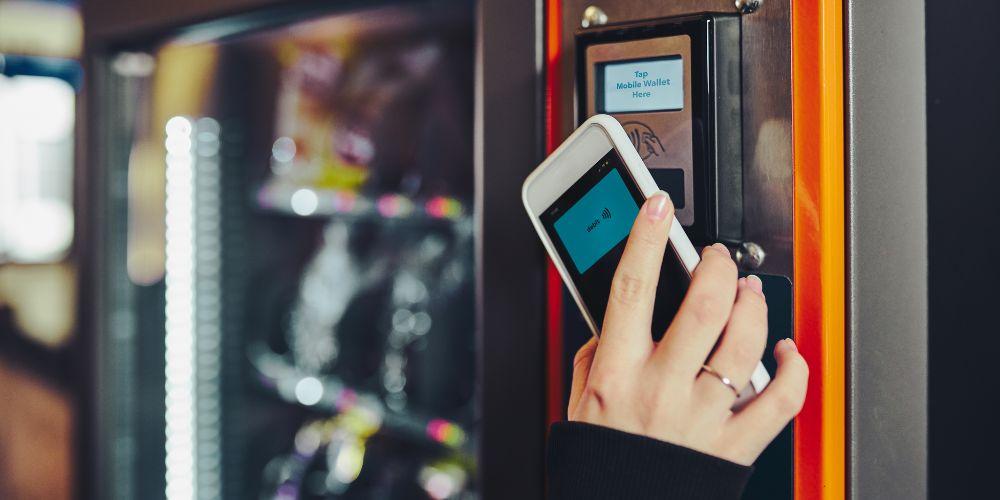
In today’s world, more people are choosing to pay with cards or mobile wallets instead of cash. This shift in consumer behavior is pushing vending machine operators to adapt. Installing a credit card reader can help machines accept cashless payments, making purchases easier and faster for customers. However, many operators make mistakes during installation that can lead to problems like failed transactions or frustrated users.
Adding a credit card reader is not just about putting a device on the machine. It involves careful planning, proper installation, and regular maintenance. Understanding the common mistakes and how to avoid them can save operators time, money, and stress. Ensuring the reader works correctly helps keep customers happy and increases sales.
Compatibility Issues
One of the first mistakes operators make is ignoring compatibility. Not all readers work with every vending machine. Older machines may lack the right connections or power support, and forcing a reader to fit can cause malfunctions. Even if it seems to fit physically, the machine may not communicate properly with the reader, leading to rejected payments. Operators should check the specifications of both the machine and the reader before installation.
Software and Integration Problems
Modern card readers rely on software to process payments and communicate securely with payment networks. Simply plugging in the device is not enough. Without proper software setup, transactions may fail or the system may become vulnerable to security risks. Installing updates and configuring the software correctly is essential to avoid errors and keep customer data safe.
Security Concerns
Security is a major concern when installing card readers. Exposed wires or poorly mounted devices can make it easy for thieves to tamper with the reader or steal card information. Using readers that meet security standards and installing them securely inside the machine can prevent these problems. Regular checks for tampering are also important to protect both the operator and the customers.
User Experience Matters
The location and setup of the reader affect how customers use it. A reader placed too high or at an awkward angle can make it difficult for some people to reach. Confusing instructions or slow processing can frustrate users and reduce sales. Operators should ensure the reader is easy to reach, clear to use, and works smoothly for a better customer experience.
Maintenance and Upkeep
Credit card readers need regular maintenance. Dirt, dust, and moisture can cause errors, and frequent use can wear out parts. Some operators assume that once installed, the reader doesn’t need attention. Regular cleaning, updates, and inspections help keep the reader functioning correctly and prevent downtime.
Understanding Costs
Adding a card reader can increase sales, but it also comes with processing fees. Operators who do not account for these costs may find that fees eat into their profits. Understanding the fee structure of payment processors and planning accordingly ensures that card payments remain profitable.
Connectivity Issues
Card readers often need a stable network connection to process payments. Operators may assume the machine is ready without checking the signal strength or network availability at the location. Poor connectivity can result in failed transactions and frustrated customers. Choosing a reader with reliable connectivity or improving network access is crucial.
Staff Training and Support
Installing a reader is only part of the process. Staff must know how to handle issues, reset the device, and assist customers. Without proper training, minor problems can become major issues. Employees should also understand security procedures to spot tampering or fraud. Well-trained staff ensures smooth operations and quick problem resolution.
Communicating Payment Options
Simply installing a reader doesn’t mean customers will use it. Clear signage and instructions are necessary to inform users about cashless payment options. Operators can also use promotions to encourage card payments. Making customers aware increases usage and helps the machine generate more sales.
Monitoring and Data Use
Modern card readers can track transactions and provide valuable insights about customer behavior. Ignoring this data is a missed opportunity. Regularly reviewing reports can help operators adjust product selection, pricing, and machine placement for better performance. Using this information effectively maximizes the return on investment.
Avoiding Common Mistakes
To avoid common mistakes, operators should start by checking compatibility, setting up software correctly, securing the reader, ensuring it is user-friendly, maintaining the device, understanding costs, confirming connectivity, training staff, communicating with customers, and monitoring data. For more details on selecting the right equipment, consider checking a vending credit card reader to find solutions that fit your machines.
Conclusion
Installing a credit card reader in a vending machine is more than attaching a device. Careful planning, secure installation, proper software setup, maintenance, and staff training are all necessary for success. Avoiding these mistakes ensures smooth operation, increases customer satisfaction, and boosts sales. By taking the time to do it right, vending machine operators can adapt to the cashless trend and enjoy the benefits of modern payment technology.